
Contentful
Connect Contentful to publish Loudmink articles as entries in your space.
Connect Contentful to publish Loudmink articles as entries in your space. You'll need your Space ID and a Content Management token (a Content Delivery token is optional). Loudmink's wizard then discovers your content types and maps the fields for you.
What you need
- A Loudmink plan that includes publishing
- Admin access to your Contentful space
- A blog post content type in your space (for example
blogPost)
How to connect
In Loudmink, go to Settings → Integrations and click Configure on Contentful. This opens a short step-by-step wizard. The steps below mirror it. Once connected, the Contentful row shows as active; click the gear icon any time to change your content type, field mapping, or disconnect.
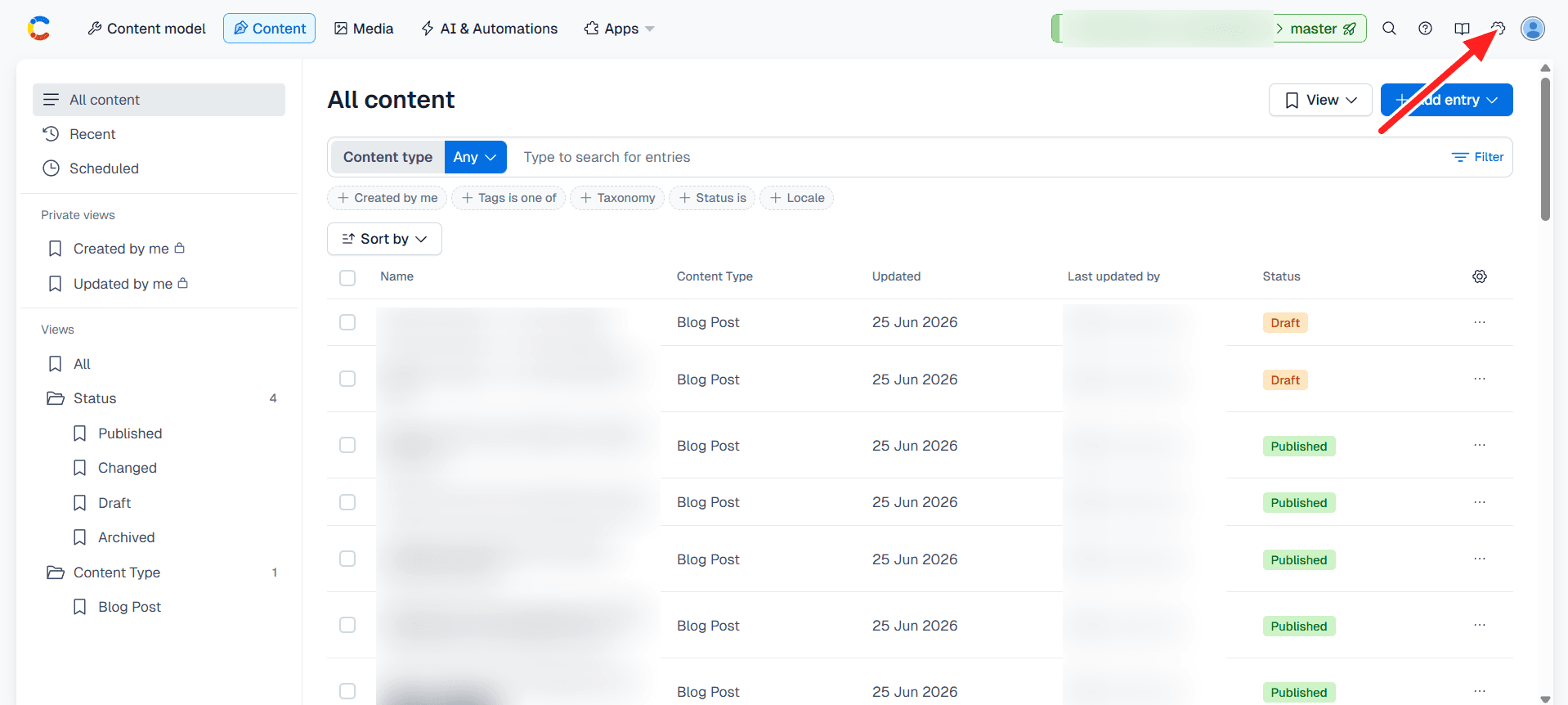
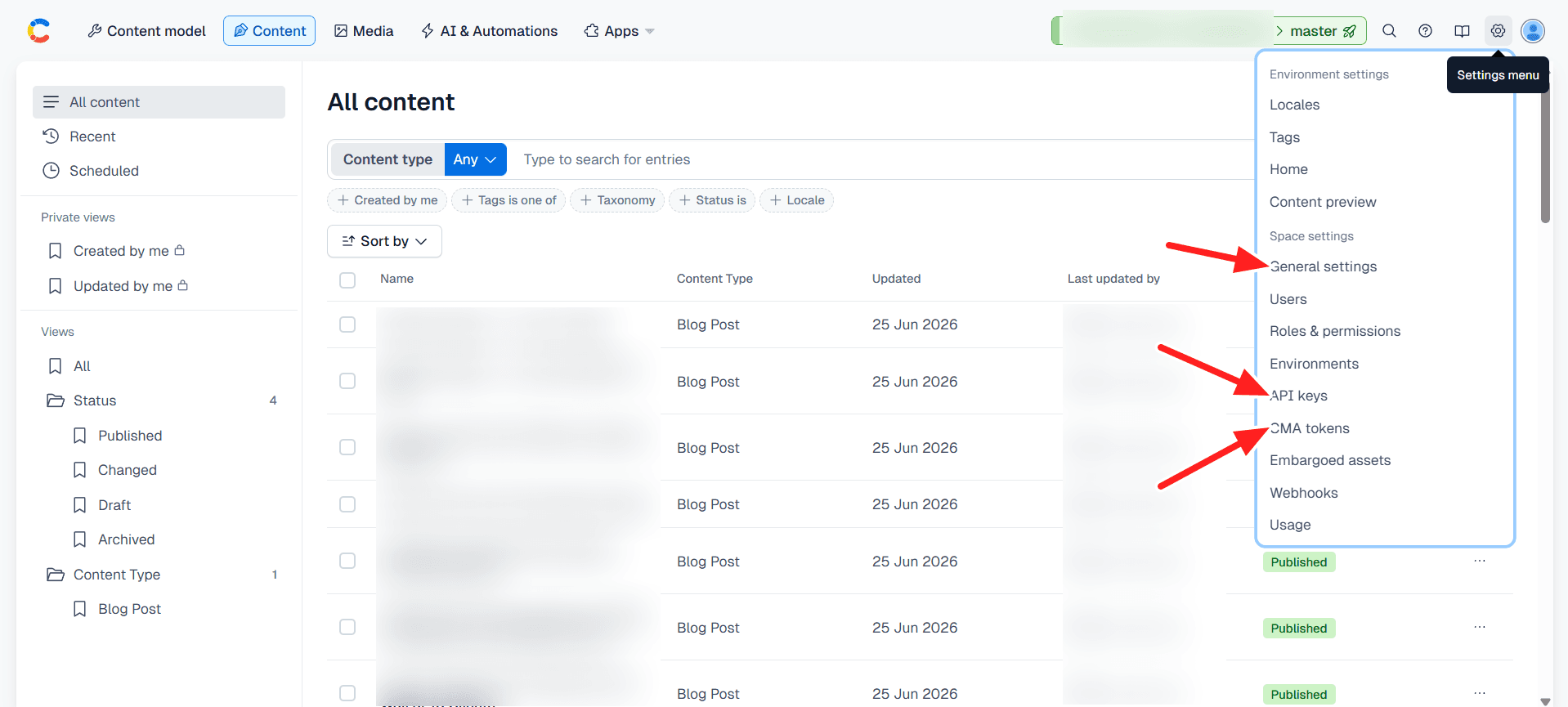
Almost everything you need on the Contentful side lives under the Settings menu (the gear icon, top right). Open it to find General settings, CMA tokens, and API keys:
Publishing
Once connected, approving an article in Loudmink creates a draft entry of your blog post content type in Contentful, ready for you to review and publish.
Troubleshooting
Need a hand? team@loudmink.ai.